Crawled Currently Not Indexed: 9 Practical Ways to Fix Google Indexing Issues
Publishing a webpage does not guarantee that Google will include it in search results. Many website owners discover that their important articles or service pages remain unindexed even after Google has visited them.
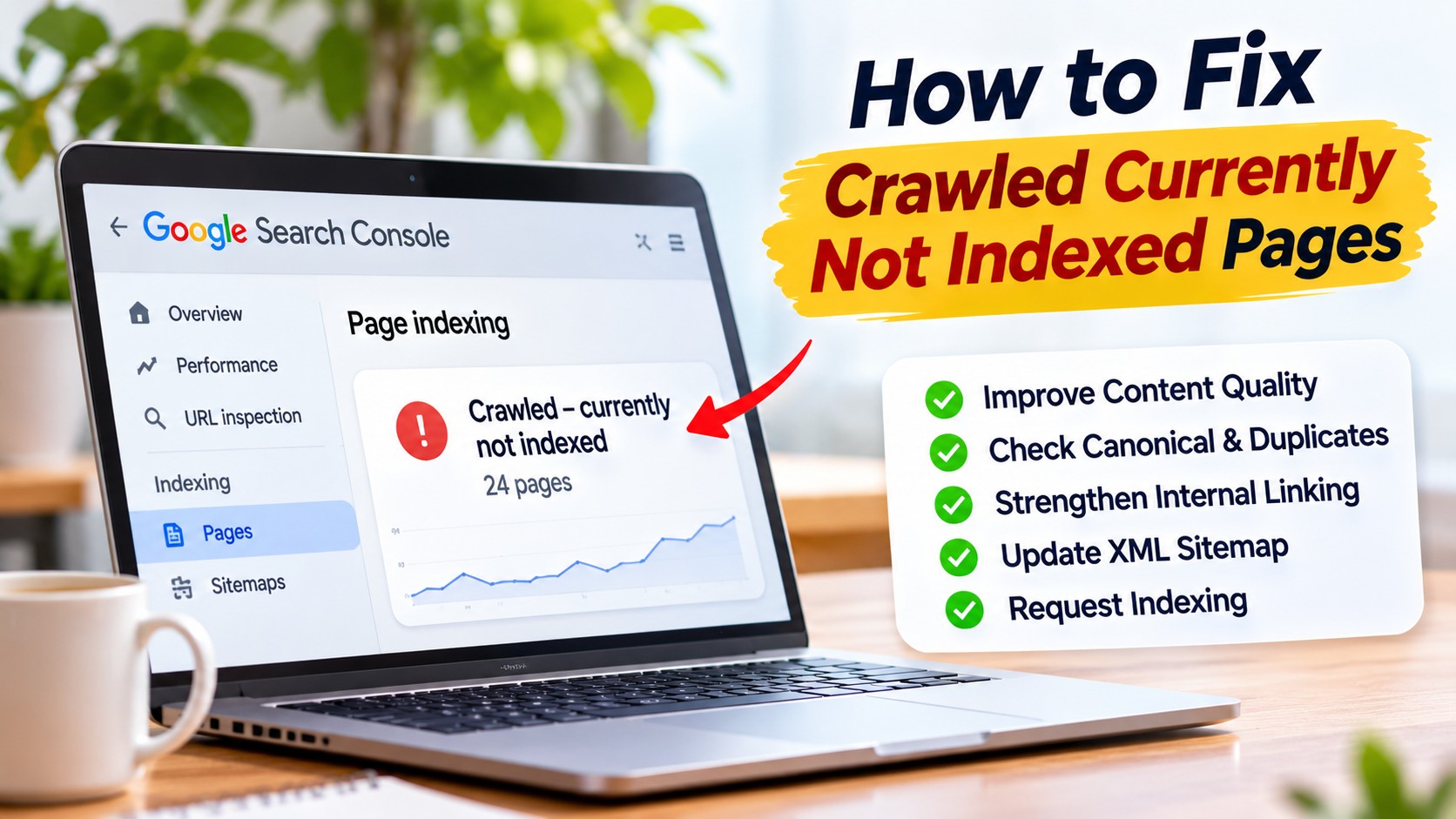
One common message in Google Search Console is “Crawled – currently not indexed.”
This status can be frustrating, especially when your website contains valuable content. However, understanding why Google excludes certain pages can help you identify opportunities for improvement.
This guide explains what the status means and how to address common indexing problems.
What Does Crawled Currently Not Indexed Mean?
The “Crawled – currently not indexed” status means Google has visited a URL but has not included it in its search index.
Unlike “Discovered – currently not indexed,” where Google knows about a page but has not crawled it yet, this status confirms that crawling has already occurred.
Importantly, it does not necessarily indicate a technical error.
Google may decide not to index a page immediately, or it may determine that the page does not currently provide enough additional value compared with other available content.
1. Identify Affected Pages in Google Search Console
Start by identifying which URLs are experiencing indexing problems.
Follow these steps:
- Open Google Search Console.
- Select your website property.
- Navigate to Indexing → Pages.
- Find “Crawled – currently not indexed.”
- Open the report and review the affected URLs.
Separate important service pages and original articles from unnecessary URLs, such as duplicate feeds or temporary pages.
Not every excluded URL requires attention.
Prioritize pages that should genuinely appear in Google Search.
2. Inspect Individual URLs
Google Search Console provides a URL Inspection tool for examining indexing information.
Enter an affected URL and review its indexing status, last crawl date, and available canonical information.
Click Test Live URL to check whether Google can currently access the page.
You can also inspect the rendered HTML and screenshot to identify potential JavaScript rendering problems.
Remember that a successful live test confirms technical accessibility, not guaranteed indexing.
3. Improve Thin or Low-Value Content
Content quality is one of the most important areas to investigate.
Pages containing generic explanations, repeated paragraphs, or very little original information may struggle to demonstrate sufficient value.
Improve affected pages by adding:
- Original explanations and practical examples
- Relevant customer questions and answers
- Useful comparisons or instructions
- Accurate supporting information
- Unique details reflecting real experience
Avoid expanding articles with unnecessary text simply to increase word count.
The objective is to make each page more helpful and distinctive.
4. Check Duplicate Content and Canonical Tags
Multiple pages targeting nearly identical subjects can create unnecessary duplication.
For example, publishing several service pages with almost identical descriptions and only changing city names may provide limited unique value.
Review overlapping pages and determine whether they should remain separate.
Where appropriate, consolidate similar content into a stronger resource.
Also check canonical tags to ensure they identify the intended preferred URL.
Canonical tags provide signals about preferred versions, but they do not force Google to index a particular page.
5. Strengthen Internal Linking
Internal links help search engines discover pages and understand relationships between website content.
Important pages should be accessible through relevant navigation, category pages, or contextual links.
Avoid leaving valuable articles isolated without meaningful internal connections.
For example, an indexing troubleshooting article can connect to a broader on-page SEO optimization guide.
Use descriptive anchor text and link only where the destination adds value.
A logical internal linking structure improves navigation for both visitors and search engine crawlers.
6. Review Technical Indexing Requirements
Although this status often reflects Google’s indexing decisions, technical problems should still be investigated.
Check whether the affected page:
- Returns an HTTP 200 success response
- Contains an unintended noindex directive
- Is accessible without authentication
- Loads important content correctly
- Uses an appropriate canonical URL
- Is accessible to Googlebot
Also review server errors, security restrictions, and JavaScript rendering issues.
Fixing these problems can remove technical barriers, although it does not guarantee inclusion in Google’s index.
7. Update Your XML Sitemap
An XML sitemap helps search engines discover important website URLs.
Ensure your sitemap contains canonical, indexable pages that you want Google to consider.
Remove outdated URLs, unnecessary redirects, and pages intentionally excluded from indexing.
Submit the sitemap through Google Search Console if it has not already been submitted.
However, sitemap submission is a discovery mechanism, not a guarantee that every listed URL will be indexed.
8. Request Indexing After Meaningful Improvements
After resolving important issues, you can request another crawl through Google Search Console.
Open URL Inspection, enter the updated URL, and select Request Indexing when available.
Avoid repeatedly submitting unchanged pages.
Google may take days or longer to process crawling and indexing decisions, depending on various factors.
If the page remains excluded, review its usefulness and technical condition rather than relying on repeated requests.
9. Monitor Indexing Patterns Across Your Website
When many important pages share the same indexing status, investigate broader patterns. Look for duplicated templates, weak content differentiation, poor internal linking, or widespread rendering problems.
Compare affected pages with similar pages that Google has already indexed.This comparison may reveal meaningful differences in content quality, structure, or accessibility.
Businesses facing widespread technical SEO problems can explore GuruGiri’s SEO and AI optimization service packages for professional website analysis and optimization support.
Can Backlinks Help Unindexed Pages?
Relevant backlinks can help search engines discover content and may introduce additional visitors. However, backlinks do not guarantee indexing. Focus first on useful content, technical accessibility, and logical internal linking. Avoid purchasing large quantities of low-quality links solely to force Google to index pages.
Businesses seeking professional SEO assistance can also visit the GuruGiri Fiverr Agency Profile to discuss technical optimization and indexing concerns.
Final Thoughts
The “Crawled – currently not indexed” status does not automatically mean your website is broken. Google has successfully crawled the URL but has not selected it for indexing.
The most effective approach is to investigate affected pages, improve their usefulness, eliminate unnecessary duplication, and resolve genuine technical problems.
Remember that indexing is ultimately Google’s decision. Consistent content quality, clear website structure, and regular technical monitoring provide a stronger foundation for long-term search visibility.